Android guide
How to move a photo vault to a new phone

Moving a vault is not the same as moving photos. Photos are files you can copy. A vault is a folder of ciphertext plus a key you were supposed to keep, and only one of those travels easily.
Photo Vault makes the order explicit: install, copy, point, code, new PIN, verify, delete. Done in that order, a phone migration is boring. Done out of order, you can end up locked out of a vault that is sitting in front of you.
Three situations, three different jobs
| Your starting point | What you need to move | Realistic effort |
|---|---|---|
| The old phone still works | The whole vault folder, or the latest full encrypted backup | 10–20 minutes, plus verification |
| The old phone is lost, broken or wiped | The full encrypted backup you made, or the .kvenc exports you kept | As long as the restore takes; no backup means no move |
| You are leaving another vault app | Readable originals exported from the old app, then imported here | Longer. Some apps make export deliberately awkward |
If the old phone still works: the order that avoids a lockout
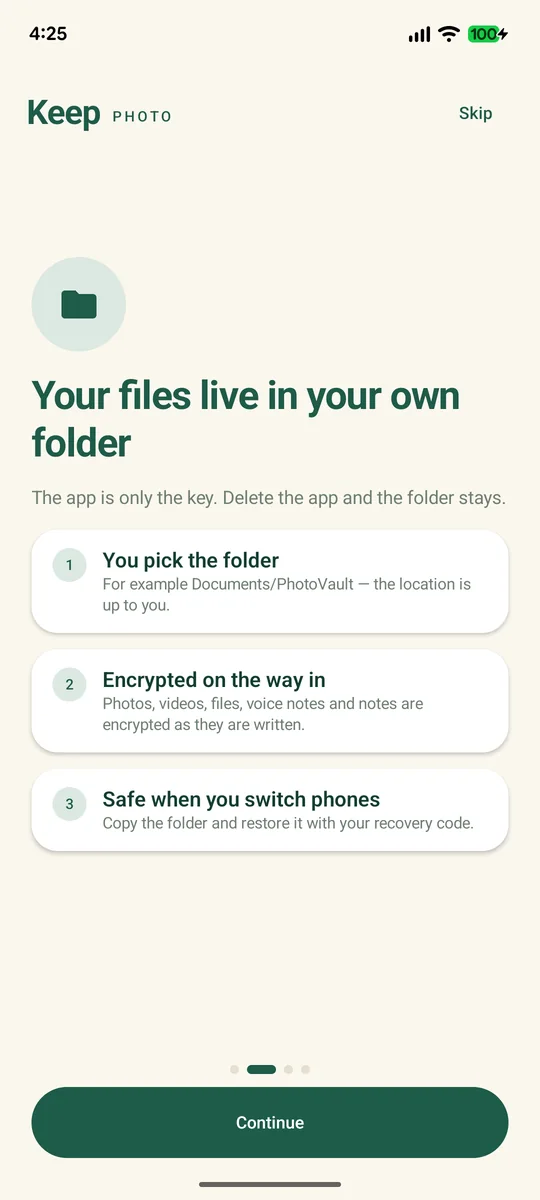
- Install the app on the new phone. Do not set up a new, empty vault. On the setup screen, take the restore path: Already have a vault? Restore with your recovery code.
- Copy the whole vault folder. That means
vault.kvh,blobs/,meta/andthumbs/. A USB cable through a computer is the most reliable route; the transfer guide covers the cable details. If you made a full encrypted backup, copy that archive instead. - Point the app at the folder you copied. Use the folder picker and choose the folder that contains
vault.kvh, not theDocumentsfolder above it. - Enter the 26-character recovery code. All of it, in the groups printed on your card.
- Set a PIN for the new phone. Four to eight digits. It can match the old one or be different.
- Verify a few files. Open the newest photo, the largest file, and a long video you scrub to the end. Compare the item count with the old phone.
- Only then delete the old copy. Not after step 2. Not after step 5. After step 6.
Why copying "just the files inside" fails
There are no JPEGs to copy. A vault folder holds four kinds of thing:
- <code>vault.kvh</code> — the header. It identifies the vault and holds the wrapped key material. Without it, the folder is not a vault.
- <code>blobs/</code> — the encrypted chunks. A large video is not one blob; it is several authenticated chunks, and every one of them is needed.
- <code>meta/</code> — encrypted names, dates, MIME types and the manifest your library view is built from.
- <code>thumbs/</code> — encrypted previews. The vault can rebuild these.
Copy the folder without one chunk and the app may list the video, then fail to open it. Copy it without <code>meta/</code> and you have files with no names. A partial copy looks like success until you need the file.
Three rules follow from that:
- Copy the whole folder in one pass. Same names, same structure. Do not rename anything to make it "tidier".
- Copy, don't move, on the first pass. Leave the old folder where it is until the new phone is verified.
- Do not merge two vault folders. Dropping a second <code>vault.kvh</code> into an existing folder does not combine two vaults; it gives you a folder the app cannot trust. Restore backups into a clean folder.
The recovery code is required, even if you remember the PIN
On the new phone, the restore flow asks for the 26-character recovery code, not the old PIN. The PIN unlocks a vault that is already set up on a phone. The recovery code is what opens the folder on a different device.
A PIN is also not a backup. It is never stored and never transmitted, there is no "reset by email", and no support desk can rebuild a vault from it. If you lose the code, the new phone cannot open the folder — and after a factory reset, the old phone cannot either. What can and can't be recovered walks through the honest options.
If the old phone is lost, broken or already wiped
You have a full encrypted backup. Install the app, restore the archive, enter the code, set a PIN, verify. That is exactly the case the backup exists for; how to back up a vault covers making one and testing it before you need it.
You only have <code>.kvenc</code> exports. You can get those items back. Open each file with the code in the app, the offline decryptor, or the command-line tool, then import the readable originals into a new vault. That recovers the items you exported; it does not rebuild the vault, its folders, or anything you left out.
You have neither. The files are gone. A broken phone that still boots may be repairable, but internal storage that never mounts is not something you can recover at home, and no app can decrypt files that are no longer there. No recovery feature can change that without keeping a copy of your key, which is the thing the design refuses to do.
Moving from another vault app
Another app's encrypted blobs are in another app's format. Copying them into a Photo Vault folder does nothing.
- Export originals from the old app while you can still open it. Check whether its export is free before you uninstall; some apps gate it or do not offer it. Check the current listing.
- Copy the exported files off the phone to a computer, so a failed import does not cost you the only readable copy.
- Import into the new vault, let the app encrypt the files, and verify a few before deleting anything.
- Delete the readable export and the old app's data once the new vault is verified. A plaintext export is a window into everything you just protected.
- Keep the old app installed until step 4. The old app is your fallback if an import fails halfway.
Do not factory-reset, sell or trade in the old phone until the new vault is verified. A reset wipes the phone's internal storage, including a vault folder stored there. A folder you copied off the device is unaffected — that copy is the whole point. A folder you left behind is gone, and the recovery code cannot bring back files that no longer exist.
Verify, then delete
- The item count on the new phone matches the old phone.
- The newest item, the largest item, and a long video all open. Scrub the video to the end, not just the first frame.
- The vault unlocks after a reboot, so the new PIN is set and you remember it.
- One item exports from the new vault and opens outside the app. That proves the new vault is readable, not just listable.
- The recovery code is written down somewhere other than the new phone.
- Only after all of the above: delete the old folder, then wipe or sell the old phone.
FAQ
Can I move Photo Vault to a new phone without the recovery code?
No. The restore flow needs the 26-character code. The PIN only unlocks a vault that is already set up on a phone, and there is no backdoor or support reset that replaces the code.
Does my old PIN work on the new phone?
Not as the restore step. The new phone asks for the recovery code first, then lets you set a new PIN. Your old PIN is irrelevant after the move.
Can I copy the vault folder with a normal file manager?
Yes, if you copy the whole folder and keep every file name. Close the app first, copy <code>vault.kvh</code>, <code>blobs/</code>, <code>meta/</code> and <code>thumbs/</code> together, and do not rename or reorganize anything inside. Copying individual blobs is how people end up with a folder that looks right and opens nothing.
Can I use one vault folder on two phones at once?
No. The app has no sync, and copying a folder does not create a shared vault — it creates two copies that will drift. If both phones write to their copy, you have two vaults and no merge. Move items between phones with an encrypted export or the LAN transfer instead.