Android guide
Is a photo vault app safe?

Two photo vault apps can look identical: a PIN pad, a grid of thumbnails, a padlock icon. The difference only shows up when someone else gets the files — a thief, a repair shop, a family member, or an app that is a front for something else.
"Safe" is not visible in a store listing. It is the sum of what the app does with your files, who holds the key, and whether you can leave.
Three things sold as a "photo vault"
| Level | What the app does | What a file manager sees | What it survives |
|---|---|---|---|
| Hidden folder | Moves files into its own folder and keeps them out of the gallery | Readable JPEGs with real names, often in /Android/data/<package> | A casual look at the gallery. Nothing else. |
| Locked UI | Puts a PIN in front of the app; the files are unchanged | Readable files, in shared or app-private storage | Someone tapping the icon. Not a file manager, ADB, or a backup. |
| File encryption | Writes ciphertext, derives the key from your PIN or recovery code | Random bytes and meaningless names | A copy of the storage, a stolen phone, a cloud backup you forgot |
Most "secret album" apps sell the first or second level and describe the third. The question is not "does it have a password" but "are the files readable on disk?" The secret album checklist covers the store listing; this page is the part you can test yourself.
The seven checks
Run them in order on any app, including ours.
1. Import a photo in airplane mode
Turn on airplane mode, force-stop the app, reopen it, import a photo.
What it proves: the import path does not need a server, so the file is not uploaded as you add it. What it does not: an app can import offline and sync later, and a successful import says nothing about what is written to disk. An app that fails this test needs the network for something; ask what.
2. Look for readable JPEGs in /Android/data and /Android/media
Import a photo, then browse the app's folders with a file manager. Readable .jpg files with real names mean the app is hiding, not encrypting.
What it proves: no readable copy is left where a file manager or another app can find it. What it does not: on Android 11+ you may not be able to open /Android/data/** without Shizuku or a computer. A folder you can't read is not proof of encryption — app-private storage can hold plaintext just as easily.
3. Ask who holds the key
Try to use the app without an account.
What it proves: no account means no server-side key escrow to reset, hand over, or leak. What it does not: an app can send data without a sign-in screen, and it can keep a device identifier. The privacy policy and the Data safety form are where that shows up.
4. Export one file and open it elsewhere
Export a photo, then open it in your gallery or on a computer.
What it proves: the app returns a standard file, not just pixels in its own viewer. A vault with no export is a hostage situation with a nicer icon. What it does not: an export that works today can be limited later, or produce a degraded copy. Check that it is full resolution and not limited to a trial period.
5. Create a test vault, then forget the PIN on purpose
Set up a test vault with nothing important in it, then go through the recovery flow.
What it proves: whether a real recovery path exists. "Contact support" on a genuinely encrypted vault means someone holds a copy of your key. A recovery code you were told to print means the key is yours. What it does not: it says nothing about how well the cryptography is implemented. It does tell you what happens to your photos in year three.
6. Cross-check Data safety against the privacy policy
Open the Play listing's Data safety section, then the app's privacy policy.
What it proves: whether the two stories agree. If Data safety says "no data collected" and the policy mentions analytics, believe the policy. What it does not: Data safety is self-reported and not audited, and policies can be vague in technically true ways. Finding no contradiction is weak evidence.
7. Watch the ad and network behavior
Note where ads appear, and what the app does with the network off.
What it proves: the business model, and the blast radius of a leak. Ads on the unlock screen or in the viewer tell you where the priorities are. What it does not: a firewall shows a connection exists, not what is in it. Analytics can see device model, app version, coarse events and crash traces. It cannot see your photos if the app is built correctly.
The tests have a ceiling. They can show that a vault is not lying about the obvious things, not that its cryptography is sound, and not that a future update behaves the same way. Re-run the file-manager test after a major update.
What encryption protects, and what it does not
Encryption protects data at rest: a locked phone that is stolen, a copied storage folder, a removed SD card, a cloud backup that swept the folder up, a repair shop.
It does not protect:
- A compromised phone. A keylogger or screen recorder sees the PIN as you type it.
- An unlocked phone handed over with the PIN. At that point the app is doing what it was asked.
- A short PIN against an offline guess. Argon2id makes each guess expensive; it does not make four digits strong.
- Everything around the vault. Screenshots, other apps' thumbnails, notifications, and the plaintext while a photo is open.
No vault app is "100% safe". The honest claim is narrower: the files are useless to someone who gets a copy of your storage without your key.
Where Photo Vault lands
We make one of these apps, so apply the checks to us.
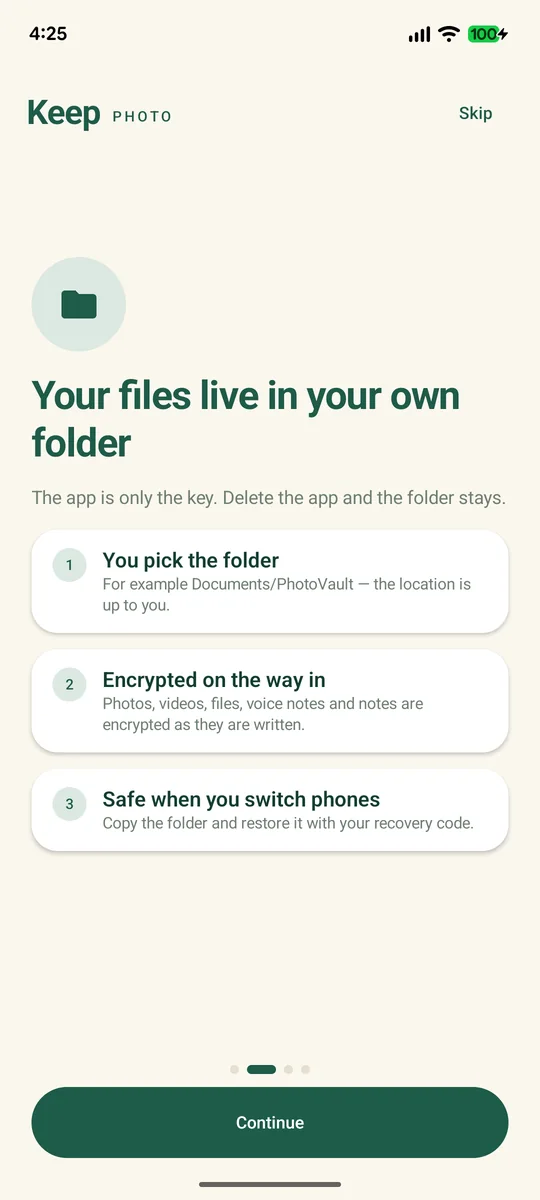
Photo Vault encrypts photos, videos, files, voice notes and notes with AES-256-GCM in chunks, before they are written. The key is derived from your PIN with Argon2id and stored nowhere else. The vault is a folder you pick, so a file manager can confirm the contents are not JPEGs. No account, no server-side copy.
The recovery path is a 26-character code, shown once at setup, which can be printed as a PDF card. It resets the PIN without re-encrypting the files and restores the vault on a new phone. There is no backdoor: lose the PIN and the code and the data is gone. The recovery guide walks through it.
Export is free and not paywalled: originals, encrypted .kvenc files, a full encrypted backup, and LAN transfer. If you can't leave with your files, the rest of the promises don't count.
What we don't claim: that it is safe in every situation. The free plan has ads at the bottom of the vault list and in Settings, never on the unlock screen, in the viewer, or during an import or export. The free plan uses Google AdMob for non-personalized ads; Firebase Analytics and Crashlytics handle usage and crash reports. They receive device and diagnostic data, never vault contents or file names, and your PIN and recovery code never leave the device.
- Imports with the network off
- Leaves no readable image in any folder you can browse
- Works without an account
- Exports the original file, at full resolution, for free
- Has a recovery path you can hold in your hand
FAQ
Is a photo vault app safe?
It can be, for one threat: someone who gets a copy of your files without your key. It is not safe against a compromised phone, an unlocked phone you hand over, or a PIN someone watches you type. Judge the app by what it stores on disk.
Are photo vault apps spyware?
Most are not. The category does attract apps that hide their own launcher icon, a technique also used by stalkerware. The tests above are how you tell a privacy tool from something that conceals itself.
Is a free photo vault app safe?
Free is fine when the business model is visible. If the app shows ads, check where they appear and what its analytics SDK can collect. A free vault with no account and free export is a normal product; one that locks export behind a subscription is telling you something.
Can the developer see my photos?
With real file encryption, no — there is no copy of the key to use. If an app offers to restore your vault by email or support ticket, then either the files are not encrypted or a copy of your key exists on a server.