Comparison
Google Photos Locked Folder alternatives

Disclosure: we build Photo Vault, one of the options below. The comparison says where it loses, and there is a section on where each alternative wins.
Locked Folder is one of the better privacy features Google has shipped: free, simple, and genuinely off the cloud. It is also the wrong tool for many people who search for an alternative, because three different jobs get mixed together — keeping photos off the cloud, keeping a copy, and making the bytes unreadable if the storage is copied. Locked Folder does the first. It does not do the other two.
What Locked Folder is
- Device-local. Items are stored on the phone, and Google's documentation says they are excluded from backup and sync.
- Opened with the screen lock. It needs a screen lock to set up and uses it to open.
- Not on the web. There is no Locked Folder at photos.google.com.
- Gone with the app or the phone. Uninstalling Google Photos, clearing its data, a factory reset, or losing the device takes the contents with it.
Google has not published how the folder protects the bytes. The honest description is OS-level device protection, not a container encrypted with a key derived from something only you know. You cannot audit it, open it elsewhere, or carry it to a new phone.
The four options
| Option | Where the files live | Account | What protects them | Survives a lost phone | Moves to a new phone |
|---|---|---|---|---|---|
| Google Photos Locked Folder | On the device | Device lock; details unpublished | No | No — move items out first | |
| Samsung Secure Folder / Private Space | Device container | Samsung / device | OS container, device-tied | Samsung backup only | Limited; Samsung-to-Samsung |
| Photo Vault | Folder you choose | None | AES-256-GCM, key from PIN, recovery code | If you copied it | Yes — folder plus code |
| OneDrive Personal Vault | Microsoft cloud | Microsoft | Encrypted at rest, provider keys | Yes | Yes |
Plans change; check each current listing. The structural differences here are slower to change.
When Locked Folder is the right answer
It is the right answer when your phone is the only place the photos need to live: you keep it, the photos are sensitive but replaceable, and you want no extra app and no key to store. For that job an alternative is usually a downgrade: Locked Folder is free, integrated, and backed by Google's own app. If the phone is stolen you lose the folder, but you kept it off the cloud on purpose.
Where it stops
Moving to a new phone. There is no direct transfer. You open the folder and move items back into ordinary Google Photos, which puts them back in the synced library — often the exact thing you were avoiding. (Archive and Locked Folder are different features; this guide separates them.)
Backing up. Locked Folder is not a backup. A reset, an uninstall, or a lost phone ends it, and there is no restore.
Copied storage. The contents are protected by the device and its lock, not by a key you hold. Someone with a copy of the app's storage, or the unlocked phone, is up against the OS. Because the details are unpublished, "encrypted" is a word you take on trust.
Opening it anywhere else. No web view, no desktop, no recovery code.
The OS containers
Samsung Secure Folder and Android's Private Space are containers for apps and files, not folders inside one app. Secure Folder runs on Knox; Private Space is a separate profile on Android 15 and later. Both are tied to the device, both depend on the device's backup and migration tools, and neither gives you a folder you can copy to a laptop and open with a code. They win when you want to lock whole apps, and when you want a system feature instead of a third-party app. Check the current documentation for your model.
The cloud option: OneDrive Personal Vault
Personal Vault adds an extra unlock step to part of OneDrive. It is encrypted at rest on Microsoft's servers and available from any signed-in device, which is a real answer to "I want a copy that survives the phone". The trade is the same one every cloud vault makes: Microsoft holds the keys, so the protection is against other users and device theft, not against the provider.
An encrypted vault, and what it changes
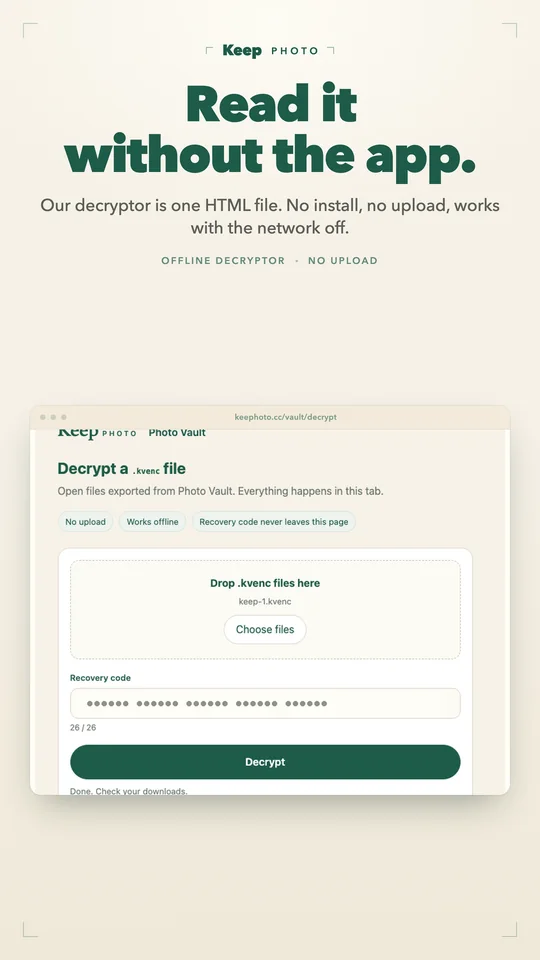
Photo Vault is the option we build, so test the claim. The vault is a folder you choose. Files are encrypted with AES-256-GCM before they are written, the key comes from your PIN via Argon2id, and a 26-character recovery code opens the folder on another phone. Uninstalling the app leaves the folder; copying it to a new phone and entering the code restores the vault. If the folder sits in a folder your own sync client watches, only ciphertext leaves the device.
The trade-offs are real. No sync, no multi-device access, no web view: one phone, one folder. Lose the PIN and the code and the files are gone, with no support reset. The free plan has limits and ads; Pro removes both, and export is free.
Where each alternative wins
- Locked Folder: convenience, cost, integration. No key to store, no setup.
- Secure Folder and Private Space: they protect apps too, and come with the device.
- OneDrive Personal Vault: availability across devices; a lost phone is an inconvenience.
- Photo Vault: one narrow property — the bytes are unreadable without a key you hold, and the folder can move. It loses on sync, web access, and convenience. If you are weighing vault apps, this comparison asks the same question of all of them.
FAQ
Is Google Photos Locked Folder encrypted?
Google has not published the details. It is device-local storage protected by your screen lock: OS-level protection, not a user-key-encrypted container. It cannot be opened on another device.
Does Locked Folder get backed up?
No. Google's documentation says the items are excluded from backup and sync, and they do not appear at photos.google.com. Treat the device copy as the only copy.
What happens if I uninstall Google Photos or reset the phone?
The contents are deleted. That is documented behavior: the folder is tied to the app and the device, and there is no recovery path once they are gone.
Can I move Locked Folder to a new phone?
Not directly. Move the items out to ordinary Google Photos before switching, which returns them to the synced library, then set Locked Folder up again and move them back in.